Author Archives: Plumbing Webmasters

The (Ultimate) Google Search Console Guide for Plumbers


Google Search Console is a valuable free tool for plumbers that allows you to monitor your clicks from Google Search, the queries users use to find your website, and various technical SEO reports.

Plumbers should familiarize themselves with GSC as much as possible, as it will help them fix serious problems that may keep your site or pages from being indexed.

In the following post, HVAC-Plumber SEO Webmasters will guide you through the Google Search Console and provide you with a guide to help you utilize it to benefit your plumbing website. 

Google Search Console for Plumbers (Guide Cover)

What is the Google Search Console?

The Google Search Console is a tool provided by Google to help your site optimize visibility on its platform. Google must approve every page on every website before it can be indexed (or displayed) on Google. 

The Google Search Console allows your website to be indexed on relevant SERPs or Search Engine Results Pages. It also enables you to increase visibility and provides you with analytical data on your website. 

It can be a valuable tool when climbing the rankings with a handful of primary keywords. The problem may be technical or related to Google’s Terms of Service.


The Google Search Console will help you sort out the situation and provide information to improve your SEO.

One or more of your plumbing website pages may not be getting indexed at all. The Google Search Console will help you figure out why.

Of course, you must know how to use it, so we have compiled this helpful Google Search Console guide.
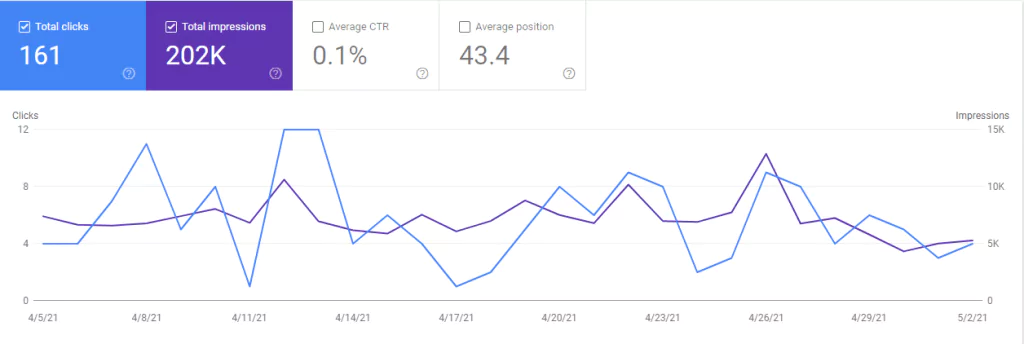

Plumber Search Console Graph (Screenshot)

Setting up Your Website

First, you must register your site on the Google Search Console.

The setup process is self-explanatory and intuitive, even if you have never done it before.

The setup wizard will walk you through each step and help you answer any questions. Here are a few things you can expect, though:


Verification Process 

Once you enter your URL in the appropriate field, you must verify your website.

You can do this by uploading a piece of HTML code to your website’s homepage code, an HTML file, or adding a unique name.


Targeting Process 


Google will need to know which geographical area your site will be targeting. To set your target country:


  1. 1) Navigate to the “International Targeting” tab under the Search Traffic menu.
  2. 2) Click the “Country” tab.
  3. 3) Click the “Target Users In” box that appears, then select your target country from the drop-down menu provided. 

The basic setup process is only the beginning of our Google Search Console guide. In the following section, you will learn how to troubleshoot the most common problems in the Google Search Console, so read on. 


Resolving Issues

Resolving some issues in the Google Search Console is pretty intuitive. For example, to fix security issues, click “Security Issues,” and the console will let you know if any security issues need addressing.

If so, they are good about walking you through how to resolve them. Some other problems, though, need a bit more explanation.
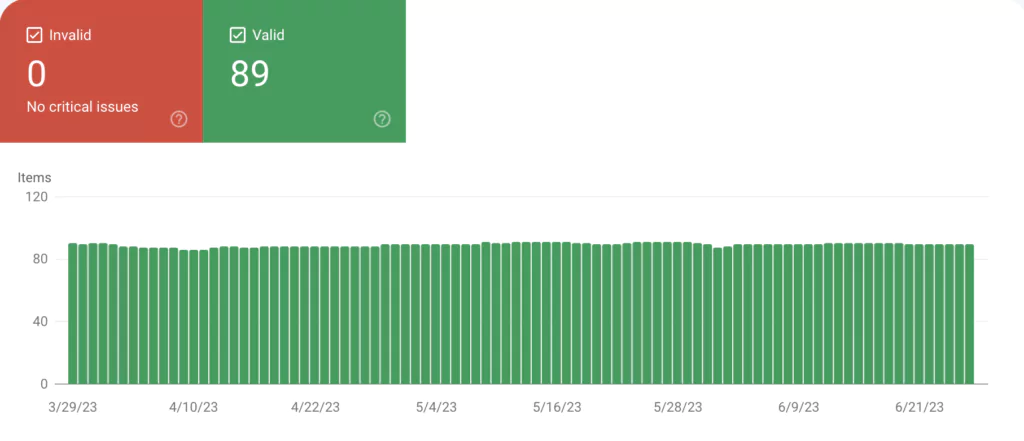

Search Console Technical Report (Screenshot)

Index Coverage Report Problems

The index coverage report in the Google Search Console allows you to see which, if any, of your pages aren’t being indexed.

Go to the Index Coverage section to see if anything appears in the “Error” tab. If there are, scroll down to see what they are.

They could be server errors (your server crashing or out of commission), redirect errors, or 404 errors. Web admins can resolve 404 errors by entering the URL into the Inspection field.


Most error messages in the Index Coverage Report can be analyzed and resolved by entering the URL in the inspection field. 


Excluded Pages

Sometimes, your pages aren’t being indexed because they have accidentally been added to the “Excluded” page list in the Google Search Console.

Click the “Excluded” tab on the Index Recovery Report page to check.

You will see a list of pages with a general explanation of why they have been excluded. It could be because the page is duplicate or redirects to another site.


You must address these problems by making your content more unique or fixing technical issues. 


Using Google Search Console to Your Advantage

Now that some of the basics are out of the way, let’s explore a few ways to use the Google Search Console to improve the performance of your plumbing website. 


Low Performing Keywords

You can use the new Performance report in the Google Search Console to identify underperforming keywords.

The “Pages” tab allows you to see all the pages on your site ranking for these low-performing keywords. 


Check Back in 10 Days

Once you have changed the content to improve the keyword performance, check back with the Performance Report to see if your changes improved your ranking for that keyword or if it hurt it. 


Find New Keywords

The new performance report makes it easy to get new ideas for keywords that you are underutilizing.

Set the filter to “Last 28 days,” set the filter to “Greater than 7.9,” and sort by impressions.

You will be greeted with a list of keywords for which you are currently ranking 8th or higher.


These keywords are an opportunity to bolster your keyword list and increase traffic. 


Fixing Internal Links

Not everyone gets internal linking right, but the new Google Search Console makes it easier to improve your internal links for a smooth user experience.

To get started, click the “Links” option in the sidebar.

You will see a list of pages on your website along with the number of internal links linking to them.


This tool helps if you want to promote a specific page on your site because it allows you to see if you have weak internal linking for particular pages on your site. 


Final Thoughts on Google Search Console

While third-party tools like SEMRush and Ahrefs are powerful and informative, they cannot match the accuracy of Google’s own SEO tool, Google Search Console.

It’s better to collect information directly from the source (Google) than to rely on third-party data.

In addition, Google Search Console is free. It requires plumbers to set up the tracking code on their website, but the process is simple and allows plumbers to monitor their Google clicks and technical issues from that point forward.


Every plumbing website should set up Google Search Console to track website performance on Google search and discover new opportunities to attract search engine users.


Posted: | Updated: Dec 2, 2024 | Categories: Uncategorized

Schema Markup Guide for Plumbers

Schema Markup for Plumbers

[ez-toc]

What is Schema Markup for Plumbing Websites?

Schema markup refers to semantic code that plumbers can place on their websites to better communicate with search engines and provide more relevant results for users. Implementing schema markup can help plumbing websites generate enhanced SERP features, such as rich snippets, on search results.

Nolen Walker, Owner of Plumbing Webmasters

Expert Analysis from Nolen Walker

At Plumbing Webmasters, we were an early adopter of schema markup for client websites, and we’ve seen the positive results it can have first-hand.

Why Plumbers Need Schema Markup

Position zero refers to the top website indexed on search engine results pages. Position zero is where you want to be if you own a plumbing business (or any business, for that matter). In digital marketing, it is the most coveted piece of online real estate. 

For the past few years, marketers have concluded that schema markup is significantly practical for earning position zero. The numbers don’t lie.

At least one study has demonstrated that websites with schema markup rank better by four positions on search engine results pages on average than websites that don’t utilize schema markup. 

While digital marketing experts agree that the increase in ranking isn’t solely due to schema markup, it’s clear that it certainly helps. Schema markup has become a high priority in SEO (search engine optimization). 

The bottom line is that if you are a plumber looking to move up in your local rankings, schema markup should be part of your strategy. In the following article, we will be giving all of you plumbers a crash course in schema markup.

What Does Schema Markup Convey?

So, what type of information can schema markup provide online searchers? Pretty much anything. Schema markup is especially helpful for plumbers because, in it, you can make sure that people can see things like

  • The areas you service
  • Your hours of operation
  • The types of services you offer
  • A map showing where you are located
  • A list of the pages on your website
  • Your star ranking on review websites
  • Current promotions you’re running

Schema markup is all about conveying the information that people are looking for more quickly and prominently than other search results to increase the likelihood of clicking on your site. 

How to Get Started with Schema Markup

Google provides a structured data testing tool to help developers make sure that the schema code can be displayed on their site. So this is the first thing you should do once you get your schema code. Here is a breakdown of the steps you will need to take to get your code:

  • Go to the schema.org website and look up the kinds of code you want to implement. We have already covered the types of data you can convey with schema, so it’s really up to you what you want to have displayed. 
  • Implement the code on the various pages of your website
  • Test your new schema code using Google’s structured data testing tool
  • Run a test by simply searching for your plumbing website on Google and seeing if the schema markup shows up

Schema Coding

Once you have your various schema codes, they can be implemented directly onto a WordPress website page and other formats. But you are responsible for filling in the parent data. In many cases, your schema code will start with this:

<span

Then the specifics of the data you want to be displayed go after that in the code. The specific data could be your company name, location, a link to a map, or an image. That part is up to you. It depends on what you want the structured data to display. 

It’s important to note that you will have to implement this code and its variations for every piece of schema markup you want to display. If you are a busy plumbing contractor, you may not have a lot of time to do that. Y

ou may need to work with a developer or a marketing team to help you develop your schema code, implement it and design your plumbing website around it. It’s also important to note three basic schema markup formats: JSON-LD, standard schema microdata, and RDFa. 

RDFa will work for most of the types of schema markups you want to use and most websites. JSON-LD uses JavaScript and tends to be less complicated to implement than standard schema microdata. Standard schema microdata is HTML-based, and it is the most common format.

It’s also the easiest to learn how to use. So if you are handling your schema markup yourself, we would recommend starting with standard schema microdata. 

Common Schema Problems

If your schema markup isn’t displaying properly, some likely suspects should check first. Some of the most common schema markup problems include:

Copy/Paste Rendering

If you are using Microsoft Word or Excel to copy your schema code, the rendering may cause problems. It’s best to use the Notepad application when copying/pasting your schema code. 

Google Violations

In some cases, Google may not display your markup because it violates Google guidelines. Just like everything else, Google has strict rules for what it showcases on its SERPs.

Errors in Syntax

Schema code is particular. An errant semicolon or quotation mark can mess up the entire snippet. Go through the code carefully and make sure everything is in the right place. 

Final Thoughts

Schema helps plumbers stand out in search results and generate new customers online. Whether you utilize schema to communicate business information to search engines or to achieve SERP features on search results, the benefits are clear.

If you require assistance implementing the right schema into your plumbing company website, feel free to reach out. At Plumbing Webmasters, we’ve been proponents of schema since its original release and have developed systems and processes to integrate it into all of our client’s websites.

Posted: | Updated: Jun 28, 2023 | Categories: Web Design

Google Reviews for Plumbers (Ultimate Guide)


Google reviews for plumbers contribute to visibility and conversions within the digital marketing ecosystem.

Plumbing companies with hundreds or thousands of Google reviews are more likely to rank in Google’s Map 3-Pack for local search queries and convert users into leads and customers.

With this in mind, it’s important to implement a process for consistently generating reviews from your recent customers.


In the following guide, I will outline the best practices for plumbing Google Reviews based on my 10+ years as the founder and CEO of Plumbing Webmasters, a digital marketing agency for plumbers.


Google Reviews For Plumbers (Guide Cover)

What are Google Reviews for Plumbers?

Google reviews are public feedback submitted by Google Users via Google Business Profiler (formerly Google My Business.

Reviews appear on a company’s public Google Business Profile beneath an aggregate rating (out of 5) based on the average rating and are considered by Google’s Local SEO algorithm.

Aside from establishing trust and credibility for your plumbing business, Google reviews also contribute to your Business Profile ranking within the Local Map 3-Pack for relevant search queries.


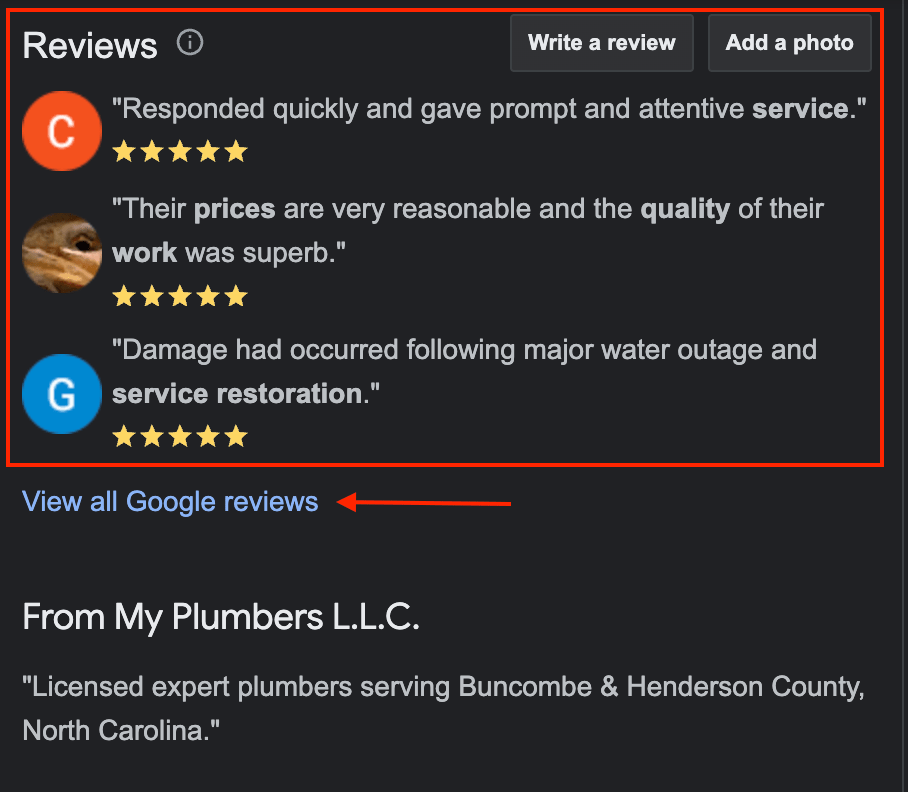
Google Reviews for Plumbing Company (Screenshot)

How To Get Google Reviews for Plumbers

While some customers will take it upon themselves to leave a Google review for your plumbing business, most won’t act unless you personally remind them to leave feedback.

While offering incentives in exchange for reviews violates Google’s guidelines, many of your customers will be happy to leave you a review as long as you simplify the process.

Below, I will detail the tasks you can complete to increase your Google review frequency and enhance your online reputation.


Claim Your Google Business Profile

To get any reviews on Google, you must be signed up with them. Pretty simple logic.

You must claim your business immediately if you are not listed on Google Business Profile.

One study found that 84% of people find businesses on GMB through organic Google searches, compared to just 16% who would come to your site through direct searches (searches by people who already know and are looking for your business).


For another, the “near me” category of local intent searches dominates all Google searches.

The frequency with which the “near me” phrase appears in Google searches has increased by 900% in recent years.

If you haven’t already set up your Google Business Profile, doing so should be your priority number one. Once you have done that or already have your GMB page, move on to the next topic.


Get A Google Review Link

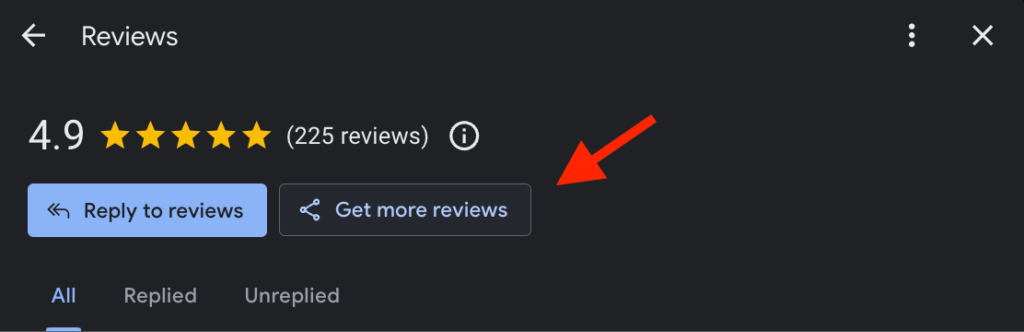
Getting a Google review link is simple; you can follow the instructions here.

Getting the link is easy, but you must take it further by deploying it to get more Google reviews.


Here are some tips:


  • Add review links to emails: If you have an email list, be sure to add your Google review link to every email you send. This is especially effective when you send follow-up emails to new customers you have recently serviced (and you are sending follow-up emails, aren’t you?).
  • Add review links to web pages: Your website has prime real estate for your Google reviews link. Add the link or button to your home, contact, or service pages so people looking to leave a review for your business can do so easily just by visiting your website. 
  • Include review links in text messages (SMS): Whether you send a templated SMS message to recently serviced customers or reach out to them with a personalized message, it’s a great idea to include your Google Review link in the text. 

Google Review Link (Screenshot)

Request Reviews

The next step to getting more Google reviews is simply requesting them.

Incorporating automated review requests can increase your reviews up to 1,000%.

However, I’ve found that plumbers who combine digital review requests with in-person requests accumulate to post reviews.


Here are some of the best ways to request reviews:


  • DataPins: Use DataPins software, which sends automated review requests (via text & email) after each plumbing job.
  • In-Person: It’s best to ask for Google reviews for plumbers as soon as you finish the job, but in-person is still an effective way to get more reviews. 
  • QR Codes: QR codes also make it easier for people who prefer mobile browsing to leave a review for you. Print a QR code that leads to your Google review page on business cards or other branded materials. 
  • On your Website: You should already have reviews on your official website. So if you do, make sure to add a simple request like “If you would like to review us as well…” and then a link to your Google review page. 

Remember to be polite when asking for a review in person, via text, or email.

Let the customer know how much their review means to your business.

Most people are more than willing to help a local business if it has done a good job, so let your happy customers know that their review means a lot. 


The Optimal Google Review Rating

Many plumbers assume that a perfect 5-star rating is ideal. But in these cynical times, that’s not actually the case.

Studies show that online consumers grow suspicious of businesses with a perfect 5-star rating.

A perfect 5-star rating may signal to skeptics that the reviews are fraudulent or coerced (e.g., special discounts for positive reviews).


While the ideal Google review rating isn’t an exact science yet, most people believe it’s somewhere between 3.7 and 4.9 stars. 

Chances are, your company doesn’t have a perfect 5-star rating.

However, too many negative reviews can harm your reputation just as much.


The key to fostering a generally positive aggregate rating is constantly generating reviews so that the negative ones are overwhelmed by positive ones.

Responding to negative and positive reviews can also help your reputation, showing other users that you care about your customers and hear their concerns.


You should not worry about maintaining a perfect 5-star rating; consumers expect and even prefer companies with ratings between 4.5 and 4.9.


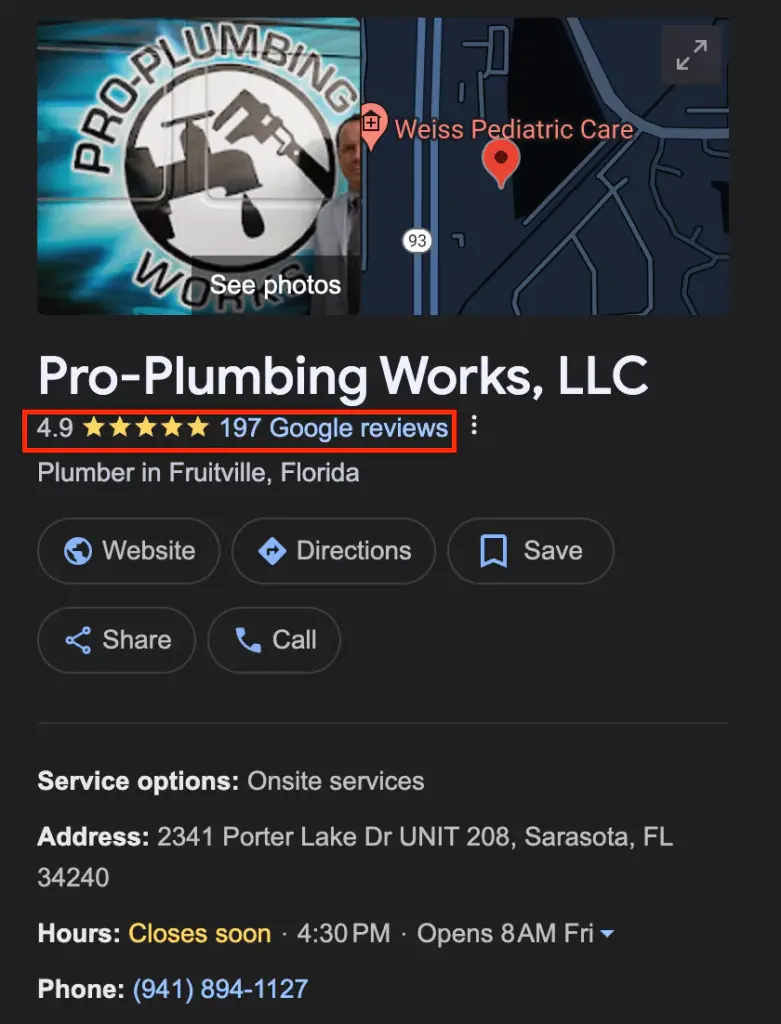
Google Review Rating (Screenshot)

Reputation Management for Plumbers

Google reviews for plumbers are part of your digital marketing campaign’s broader reputation management strategy.

Reputation management expands to other digital platforms, including review websites like Yelp, Facebook, local business directories, and more. 

Effective reputation management can also help you get more Google reviews.


Luckily, my agency, Plumbing Webmasters, provides full reputation management services.

Using plumbing SEO, my agency can help you get more Google reviews, increase brand awareness, and establish yourself as a plumbing authority.

Contact me today to learn more about this service.


SEO-Friendly WordPress Themes for Plumbers (Full Analysis)


An SEO-friendly WordPress theme for plumbers is a pre-made folder containing graphics, style sheets, and a codebase that enables plumbing companies without design expertise to quickly publish a functional website. 

The term “SEO theme” distinguishes these from generic WordPress themes: a plumber SEO theme is built or configured to support local search visibility, not just visual presentation.

WordPress is an open-source content management system (CMS), meaning designers and developers worldwide can create themes that users download and install through the WordPress dashboard. 

As of 2026, WordPress powers more than 40% of all websites and holds nearly 60% of the CMS market, according to W3Techs, more than all other platforms combined. 

No other CMS comes close in plugin ecosystem, developer support, or flexibility for local service businesses.


Key Findings:


  • A WordPress theme controls your plumbing website’s appearance, structure, and underlying code, all of which affect how Google indexes and ranks your pages.
  • WordPress powers more than 40% of all websites and holds over 60% of the CMS market as of 2026, making it the most widely used CMS and the most supported platform for contractor websites.
  • The technical features of a theme, mobile responsiveness, page speed, and structured data markup matter more to local search performance than visual design.
  • Google completed its shift to mobile-first indexing in July 2024, meaning your site is now crawled and ranked based on how it performs on a phone, not a desktop.
  • Free themes can be a functional starting point, but they typically lack the contractor-specific structure and SEO configuration that competitive local markets require.
  • Plumbing companies in competitive service areas generally benefit from a professionally built theme with local SEO architecture built in from the start.

Understanding WordPress Themes

A WordPress theme is a collection of template files, stylesheets, and code that determines how a website looks and behaves. 

For a plumbing company, the theme controls page layout, navigation structure, how service pages are organized, and how the site performs on mobile devices and in Google’s index.

Most plumbing company websites share a similar format: clean layout, prominent phone number, service area pages, and a contact form. 

That consistency reflects a practical reality: the decorative, animation-heavy designs common in other industries tend to add image weight and JavaScript overhead, which slow load times and suppress search rankings. 

Visual complexity is a load performance problem as much as an aesthetic choice.


What a plumbing WordPress theme needs to include:


  • Mobile-responsive design. Google completed its migration to mobile-first indexing in July 2024, meaning Googlebot now crawls and evaluates the mobile version of every site as the primary version. A theme that renders poorly on a phone will underperform in search regardless of its desktop appearance.
  • Core Web Vitals compatibility. Google measures page experience through three metrics: Largest Contentful Paint (LCP, target under 2.5 seconds), Interaction to Next Paint (INP, target under 200 milliseconds), and Cumulative Layout Shift (CLS, target below 0.1). Themes built on heavy page builders or loaded with unoptimized scripts routinely fail these thresholds, which affects ranking in competitive local results.
  • Structured data support. LocalBusiness schema markup is JSON-LD code embedded in a theme or added via a plugin that tells Google your business name, address, phone number, service hours, and location. This structured data helps Google accurately display your business in local search results and Google Maps. In WordPress, schema can be implemented through SEO plugins, such as Rank Math and Yoast SEO, or added directly to a theme’s header files.
  • Service area page structure. A well-built plumber theme provides templates for individual service areas or city pages, as well as the architecture that supports local keyword targeting across multiple markets.
  • SEO plugin compatibility. WordPress supports dedicated SEO plugins that analyze content, manage metadata, generate XML sitemaps, and handle schema output. Yoast SEO and Rank Math are the two most widely used WordPress SEO plugins, with millions of active installations between them. A theme that conflicts with either creates ongoing optimization problems.

Custom Plumbing WordPress Theme
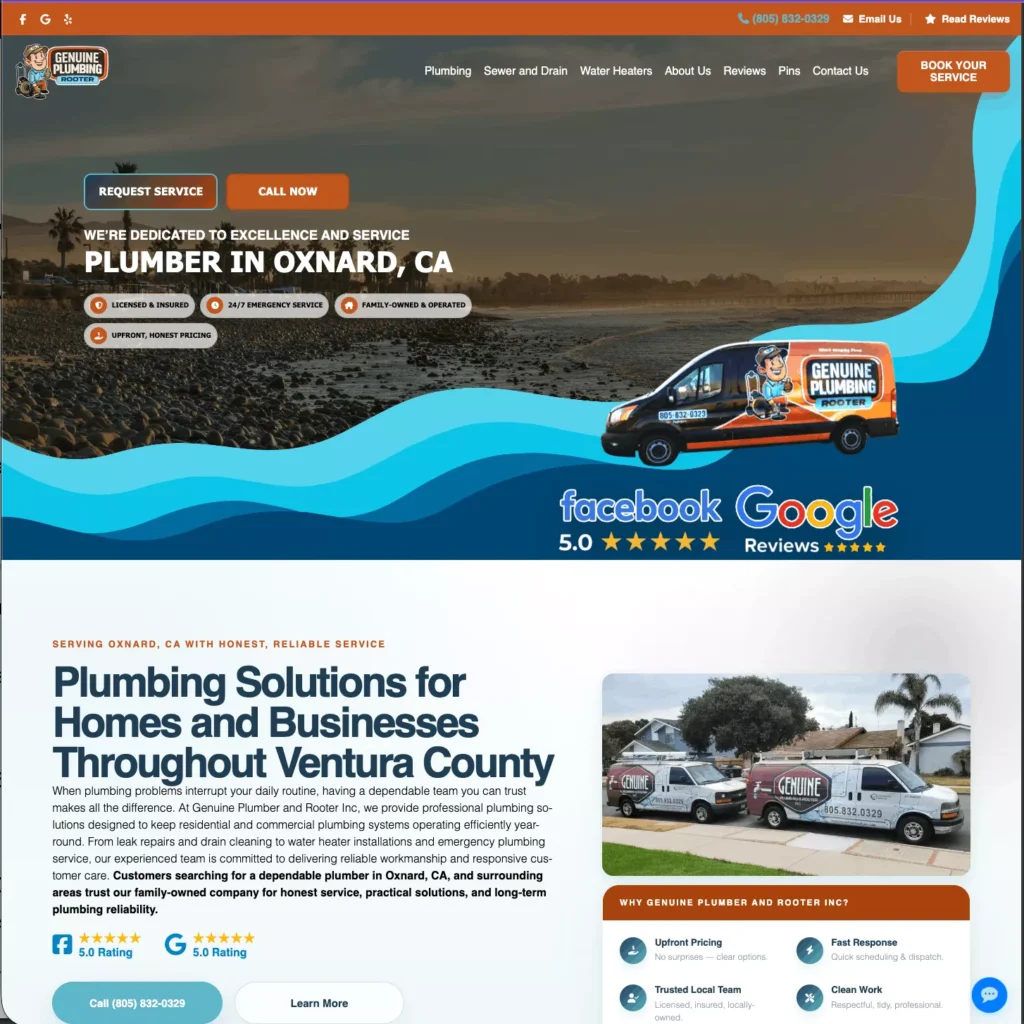
A Custom, SEO-Friendly WordPress Theme for a Local Plumbing Company Featuring The Qualities Mentioned on This Page

The Cost of WordPress Themes

WordPress themes range from free to several thousand dollars for fully custom builds. Price tier, however, is not a reliable indicator of SEO suitability on its own; the relevant variables are code quality, mobile performance, schema support, and compatibility with WordPress SEO plugins.


TierTypical CostWhat You GetLocal SEO Limitations
Free (WordPress.org directory)$0Passes WordPress review standards; basic responsive design; community supportGeneric structure; no contractor-specific layout; no local schema configuration; limited or no dedicated support
Premium off-the-shelf$50–$200 one-time or annualMore design options; often includes page builder integration; faster setupStill generic; SEO configuration left to site owner; Core Web Vitals performance varies significantly by theme
Agency-built contractor theme$500–$3,000+Built for a specific trade vertical; local SEO architecture included; service area page templates; schema pre-configuredHigher upfront cost; tied to the agency’s platform or update cycle
Fully custom theme$3,000–$10,000+Purpose-built for the business; clean codebase; no bloat from unused features; full control over structure and performanceRequires experienced WordPress developer; longer build timeline

The SEO-Friendly Qualities of WordPress

WordPress supports local search optimization through its plugin ecosystem, flexible content architecture, and open codebase, all of which give a plumbing company more technical control than closed website builders like Wix or Squarespace.


Plugin ecosystem 

WordPress SEO plugins handle the optimization tasks that most plumbing company owners should not be managing manually. 

Yoast SEO and Rank Math both analyze page content against target keywords, manage title tags and meta descriptions, generate XML sitemaps, and output LocalBusiness schema markup. 

Either plugin, properly configured, covers the on-page SEO fundamentals for a contractor website.


Content Architecture 

WordPress makes it straightforward to build and maintain service pages, location pages, and blog content within a single site structure. 

For a plumbing company targeting multiple cities or neighborhoods, this matters: each service area page can be optimized individually without custom development.


Technical flexibility

Unlike hosted website builders, WordPress gives site owners and developers direct access to theme files, server configuration, and structured data output. 

This means schema markup can be customized, page speed can be optimized at the code level, and the site can be adapted as Google’s ranking signals evolve.


When WordPress is Not The Right Choice for Plumbers

A plumbing company owner who has no developer support, no intent to invest in ongoing maintenance, and a primary need to get a basic site live quickly may find a hosted builder faster to launch. 

WordPress requires active maintenance, including core and plugin updates, as well as occasional compatibility work. 

Without that maintenance, security vulnerabilities accumulate, and performance degrades. The platform’s flexibility is only an advantage when someone is managing it.


Custom Theme vs. DIY: How to Decide

The decision between building a WordPress site yourself and hiring a professional developer depends on your technical capabilities, market competitiveness, and the centrality of the website to lead generation.


FactorDIY with off-the-shelf themeProfessionally built / agency theme
Upfront costLow ($0–$200)Higher ($500–$10,000+ depending on scope)
Time to launchFast (days to weeks)Slower (weeks to months)
Local SEO configurationOwner-managed; requires plugin knowledgePre-configured by developer
Schema markupManual setup via pluginBuilt into theme or pre-configured
Core Web Vitals performanceVaries; depends on theme choice and optimizationOptimized during build
Service area page structureGeneric templatesBuilt for trade contractor use case
Ongoing maintenanceOwner-managedOften supported by agency or developer

When to Build it Yourself

DIY is a reasonable starting point for a plumbing business in a low-competition market, for a new business establishing an initial online presence, or for an owner with prior WordPress experience who can configure SEO plugins and maintain the site independently.


When to Hire a Professional

If the website is the primary source of inbound leads, the service area includes competitive markets where other plumbing companies are actively investing in SEO, or the owner does not have time to manage WordPress maintenance, a professionally built theme is likely to deliver better long-term results. 

The cost difference between a DIY setup and a professionally built site is typically recovered if the site generates even one or two additional jobs per month.


Custom WordPress Themes for Plumbing Companies

Plumbing Webmasters builds custom WordPress themes designed specifically for residential plumbing companies. 

Each theme is built with mobile-first architecture, pre-configured LocalBusiness schema markup, service area page templates, and Core Web Vitals performance as a baseline requirement.

For plumbing companies evaluating whether a custom theme is the right investment, contact Plumbing Webmasters to discuss your market, your current site’s performance, and what a purpose-built theme would involve.


Posted: | Updated: Jun 8, 2026 | Categories: Web Design